Need a Pixel Art Retro Gaming Font for YouTube Video Covers? Here's What Actually Works
If your YouTube thumbnails look generic and fail to stop a scrolling viewer, the right pixel art retro gaming font can fix that in seconds. Font choice on a video cover isn't decoration it's a signal. It tells viewers exactly what kind of content they're about to click, before they even read the title.
What Is a Pixel Art Retro Gaming Font and When Should You Use One?
A pixel art retro gaming font mimics the blocky, grid-based lettering found in classic 8-bit and 16-bit era video games. Think early Nintendo, Sega Genesis, or arcade cabinet title screens. These fonts are built from small square pixels rather than smooth curves, giving them a distinctly nostalgic and raw digital look.
This style works best when your content covers retro game reviews, speedruns, classic console nostalgia, indie pixel games, or chiptune music videos. It also pairs well with lo-fi, vaporwave, or synthwave aesthetics that borrow from the same era. If your channel leans modern competitive esports or hyper-realistic AAA titles, this font family will likely feel mismatched.
Why does it matter for YouTube specifically? Because thumbnails are your first impression at 120×90 pixels on a mobile screen. A pixel art font stays legible at small sizes where decorative or serif fonts collapse into unreadable blur. That structural clarity is a real competitive advantage.
How to Choose the Right Pixel Font Based on Your Channel's Vibe
Not every pixel font communicates the same thing. Your choice should match your content personality, not just the retro label.
- Classic blocky pixel fonts (like Press Start 2P or VT323) work for authentic retro content NES reviews, Game Boy retrospectives, or emulator guides.
- Refined pixel fonts with smoother edges suit indie game coverage or modern games with retro-inspired visuals like Celeste or Shovel Knight.
- Bold, thick pixel fonts grab attention on action-heavy content boss fights, challenge runs, or tournament highlights.
- Thin, minimal pixel fonts fit more subdued content like game music analysis or design breakdowns.
Consider your color palette too. Pixel fonts with strong outlines and high contrast (white text with a dark stroke on a colorful background) consistently outperform low-contrast combinations in thumbnail readability tests.
Common Mistakes That Ruin Pixel Font Thumbnails
The biggest error is using a pixel font at the wrong resolution. If you scale a pixel font without maintaining its grid alignment, you get blurry, uneven edges that defeat the entire purpose. Always work at exact multiples of the font's base pixel size.
Another frequent mistake is overcrowding the thumbnail with text. A pixel art retro gaming font is already visually busy due to its texture. Keep your text to three or four words maximum. Let the game screenshot or character art breathe around it.
Using too many different font sizes or mixing pixel fonts with smooth sans-serifs creates visual noise. Stick to one pixel font family per cover. Vary weight or add a stroke for emphasis instead of switching fonts entirely.
Technical Tips for Working With Pixel Fonts in Design Tools
- Disable anti-aliasing in your editor (Photoshop, Figma, or Canva) when placing pixel fonts. This keeps edges sharp and true to the retro aesthetic.
- Use nearest-neighbor scaling if you need to resize. Bilinear or bicubic interpolation will blur the pixel grid.
- Add a 2–4px outline or drop shadow in a contrasting color to ensure legibility over complex game screenshots.
- Test your thumbnail at actual YouTube display size zoom out to roughly 30% in your editor to simulate how it appears on a phone feed.
Your Quick Checklist Before Publishing
- Font matches your channel's era and energy retro, indie, or action?
- Text is four words or fewer and reads clearly at small sizes?
- Anti-aliasing is off and pixel edges are perfectly sharp?
- Color contrast between text and background passes a squint test?
- No mixed font families creating visual clutter?
A well-chosen pixel art retro gaming font for YouTube video covers doesn't just look cool it builds instant recognition and trust with your target audience. Match the font to the content, keep it clean, and let the pixels do their job.
Get Started Best Aggressive Esports Fonts for Youtube Gaming Thumbnails
 Best Gaming Fonts for Youtube Thumbnails That Get Clicks
 Best Gaming Fonts for Thumbnails That Boost Click-Through Rate
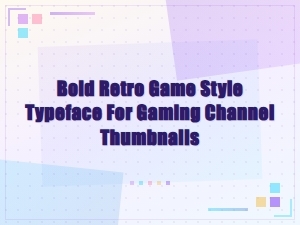 Bold Retro Game Style Fonts for Epic Gaming Channel Thumbnails
 Best Bold Fonts for Youtube Thumbnails
 Best Bold Youtube Thumbnail Font Pairings for Gaming Channels